heArtx · User guide, Part II
User guide, Part II — from mesh to simulated heartbeat
Five workflows turn an FE-ready mesh into a beating, measured heart. They share one job model, so it is worth learning once.
1. What every workflow shares
Each workflow is launched from the Runtime panel and runs on the cluster, not in your browser. You may close the tab and come back.
| Behaviour | What that means for you |
|---|---|
| One job at a time | A second submission waits until your current job of that kind finishes |
| The Run button turns red | While the job runs, its tab's Run ends it. Red always means terminate, never emphasis |
| Progress appears in two places | Prose and failures in the status box at the top; numbers, phases and the raw log under Advanced |
| Four ways to end |
SUCCEEDED,
FAILED,
TIMED_OUT,
CANCELLED
|
| One archive per job | Everything a job produced downloads as a single .zip from the Results gallery |
| Cancelling is safe | A shared upstream job keeps running and stays reusable; only the job you cancelled stops |
2. How they fit together
The arrows are the whole story. Unload is the root: everything that needs a resting heart reuses one rather than recomputing it, and ED/ES quietly builds one first if none exists. Optimize is the exception — it never chains, and asks you to pick the Calibrate run it should refine.
| Workflow | What it computes | What it needs | What you get |
|---|---|---|---|
| Unload | The stress-free resting shape the heart would take with no blood in it | An FE-ready mesh | Unloaded geometry, and a fitted passive stiffness |
| ED / ES | Wall stress at both ends of the cycle, and the contractility that reaches end-systole | A mesh, and an Unload — built for you if absent | A stress summary, plotted in Results |
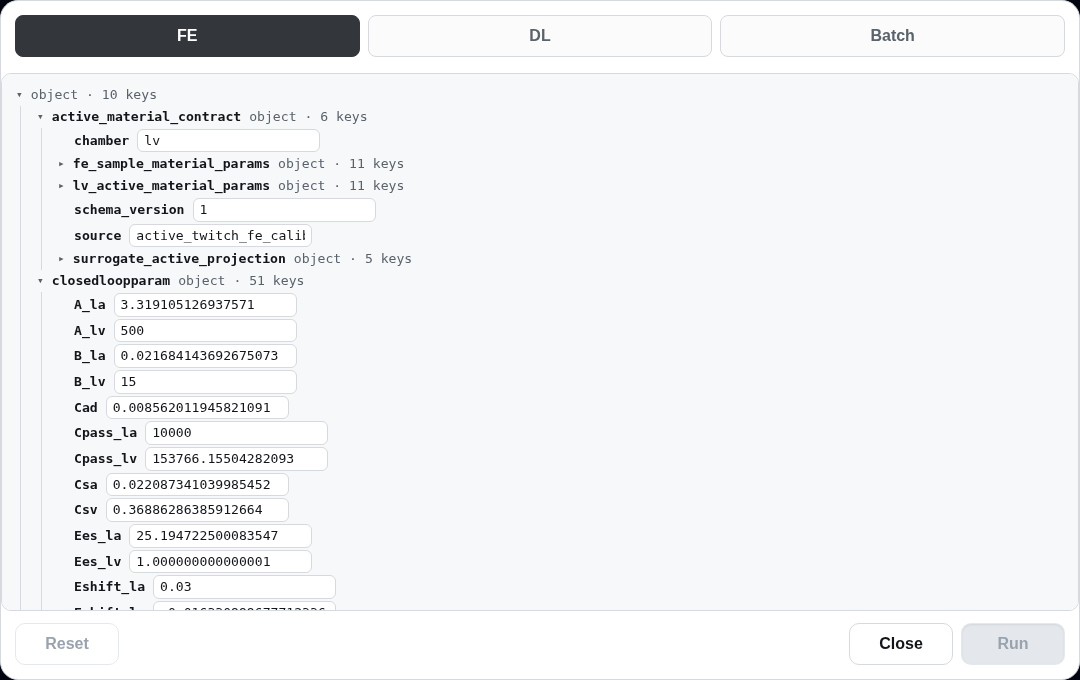
| Calibrate | Passive and active material parameters for this heart | An FE-ready mesh | The parameter set every later run reads |
| Optimize | A refined parameter set matched to pressure–volume targets | A finished Calibrate run, chosen by you | A refined parameter set |
| Simulate | A complete heartbeat | A mesh; calibrated parameters if you have them | Pressure–volume loop, strain, and a moving mesh |
| DL | A predicted end-systolic shape, from a trained network instead of a solve | An FE-ready mesh with fibres | The predicted mesh, added to the album |
3. The stages you will see
Every workflow begins by staging the mesh
(staging_mesh) and ends by publishing its archive.
Between those, the named stages differ.
| Workflow | Stages reported in order |
|---|---|
| Unload |
staging_mesh ·
running_unloading ·
uploading_artifacts ·
preparing_mesh_view
|
| ED / ES, Calibrate, Optimize |
writing_targets ·
running_calibration ·
uploading_output
|
| Simulate |
selecting_runtime ·
staging_params ·
running_legacy_fe ·
postprocessing_strain
|
4. Unload
A heart imaged in a living patient is already stretched by the blood inside it, so it is the wrong starting shape for a simulation. Unload runs the inflation backwards: it searches for the geometry that, pressurised to the assumed end-diastolic pressure, returns the shape you actually imaged. Along the way it fits an empirical filling curve to your ventricle and reports the passive stiffness implied by it.
5. ED / ES
Two quasi-static solves bracket the heartbeat. The first fills the ventricle passively to
its measured end-diastolic volume. The second searches for the peak active tension that
squeezes it down to the measured end-systolic volume against arterial pressure. Both solves
must converge, both volumes must land within
volume_match_frac of their targets, the
end-systolic pressure within
es_pressure_tol_mmhg millimetres of
mercury. The tension itself must sit strictly inside its plausible band rather than resting
against a limit — a value pinned at
tmax_lo_pa means the search never truly found
one.
6. Calibrate
Calibrate fits the passive filling behaviour first, then the active twitch, and writes the parameter set that every later run on this mesh reads. It also leaves behind a fast approximate model of the ventricle, which is what makes Optimize cheap.
7. Optimize
Optimize searches the fast approximate model — not the full heart — against your pressure–volume targets, so it explores thousands of parameter sets in the time one simulation would take. It refuses to start without a finished Calibrate run to draw that model from.
8. Simulate
Simulate solves the beating ventricle in three dimensions, coupled to a circulation model
that supplies realistic filling and afterload, and returns a full pressure–volume loop with
regional strain. It always starts from the canonical parameter set, inheriting this case's
current upstream results where they exist. A mesh with no upstream results may still be
submitted, and may fail to get off the ground. If the solver cannot complete its first pressurisation, the job stops
with LEGACY_FE_NLOAD_NON_CONVERGENCE
rather than stalling; calibrate the mesh and resubmit.
9. Reading the results
Results opens on the pressure–volume loop, live while the job runs. Strain and the ED/ES summary get their own tabs, and the Artifacts tab holds one archive per job — never a list of loose files.
10. Where the work happens
Each workflow runs either on this platform's own compute or, when your account is granted access, on the university's high-performance cluster. Unload and ED/ES prefer the cluster. The choice changes nothing about what you submit or what you get back.
11. When something goes wrong
The status box names the reason; the raw log under Advanced holds the detail. These are the failures you can act on yourself.
| Reason | What it means | What to do |
|---|---|---|
LEGACY_FE_NLOAD_NON_CONVERGENCE |
The heart would not inflate with the parameters it was given | Run Calibrate on this mesh, then submit again |
LV_UNLOADING_LV_LABELS_MISSING |
The mesh has no inside, outside or base to push against | Infer the facet regions on the mesh first |
LV_CALIBRATION_MESH_NOT_READY |
The mesh it points at has not finished building | Wait for the mesh, then resubmit |
LV_CALIBRATION_REUSE_BUNDLE_MISSING_SURROGATE |
The Calibrate run you gave Optimize has no approximate model in it | Pick a Calibrate run that finished successfully |
HEART_WORKER_ORPHANED |
The machine running your job died; the platform noticed and cleaned up | Resubmit |
LEGACY_FE_ENV_MISSING |
The solver runtime is not installed on the compute node | Nothing you can fix — tell an operator |
12. The science behind it
| Method | Source | Where it acts |
|---|---|---|
| Single-beat filling curve | Klotz et al., 2006 — 10.1152/ajpheart.01240.2005 |
The target Unload fits, and the passive stiffness it reports |
| Inverse reference-configuration recovery | Sellier, 2011 — 10.1016/j.jfluidstructs.2011.08.002 |
Running the inflation backwards in Unload |
| Transversely isotropic passive law | Guccione et al., 1991 — 10.1115/1.2894084 |
How the muscle resists filling |
| Active fibre tension | Guccione & McCulloch, 1993 — 10.1115/1.2895473 |
The contraction ED/ES solves for, and Simulate replays |
| Closed-loop circulation coupling | Kerckhoffs et al., 2007 — 10.1007/s10439-006-9212-7 |
Filling and afterload during Simulate |
Thresholds, units and confidence levels for each of these are recorded alongside the code, together with the ranges the platform treats as physiologically plausible.